This article was published through Outrank and has not been independently fact-checked by Top UGC Tools. Verify product claims, prices, and recommendations against current primary sources.
UGC rights management means building an auditable chain of permission at every level, including copyright authorization, paid-media licensing, advertising compliance, and ongoing enforcement. The work doesn't end when a creator approves a post, because the license can still expire, restrict a territory, or fail to cover the people and materials visible in the final ad.
A familiar campaign failure starts with a strong piece of customer content. The creator replies “yes,” the social team downloads the file, and a paid-media buyer turns it into several cuts for different placements. The ad performs, then someone challenges the use because the approval covered organic reposting but not paid amplification, a song wasn't cleared, or a recognizable person never consented.
The expensive mistake is treating creator approval as the rights record. UGC rights management is a campaign control system, connecting the original asset to every permission, edit, placement, disclosure, expiry event, and removal action.
Table of Contents
- What UGC Rights Management Protects
- Permission Layers You Need to Clear Before Launch
- The clearance map
- Separate the permission from the presentation
- Building an Auditable Rights Packet for Each Asset
- Store the chain, not just the attachment
- Make the packet usable under pressure
- Why Rights Records Must Handle Fragmented Usage Data
- Link the records around the asset
- Adding Advertising Compliance to Your Rights Workflow
- Store the disclosure configuration with the license
- Use a preflight checklist
- Using History to See the Long-Term Risk of Poor Rights Workflows
- Choosing Licensing Models That Fit Different Campaign Types
- Flat rate favors control
- Performance models need better evidence
- Hybrids protect both sides
- A Practical Launch Workflow for Ongoing Rights Compliance
<a id="what-ugc-rights-management-protects"></a>
What UGC Rights Management Protects
The mess usually starts after the asset is already in market. A creator approved use in a DM, the paid team cut new versions, a retailer pulled the file into its library, and nobody logged whether the approval covered paid distribution, which territories were allowed, or when the license ended. Once a complaint or takedown lands, the team is forced to rebuild the rights chain while media is still running.
UGC rights management protects the operating boundaries around an asset, not just the asset itself. That includes scope, territory, duration, channel, editing rights, and attribution requirements. It also protects the team from working off conflicting records spread across inboxes, chat threads, spreadsheets, and agency folders.
Practical rule: A creator's “yes” is an event in the workflow, not the workflow itself.
Start with the file you plan to use, not with a generic template. Log who created it, where it came from, which version was approved, and the exact use the brand intends to make. An organic repost and a paid ad are different permissions. So are creator whitelisting, retail syndication, email use, website placement, and derivative edits built from the original asset.
Then connect each intended use to clear, affirmative approval. Store the exact language, timestamp, account identity, and approved file. If the person granting rights is speaking for a business, agency, or production company, confirm they can grant those rights. That step gets skipped all the time, and it is where many teams discover too late that they had approval from the wrong person.
UGC is not one clean category. WIPO's material on user-generated content describes content that can be created by a user, uploaded from a third party, or assembled from original and modified material. In practice, one short video can carry several rights questions at once. The creator may control their footage but not the music, a visible logo, a location restriction, or the commercial use of a recognizable person in frame.
That is the gap many guides skip. Between creator approval and paid launch, the operational rights chain still has to cover model or likeness consent, third-party materials, disclosure alignment, and expiration controls. If those checks are missing, the brand can have permission from the creator and still lack permission for the ad as delivered.
Protection also continues after approval. Teams need live control over where the asset appears, what versions exist, and whether the license still covers those uses. Track:
- Live locations: Brand profiles, paid accounts, creator handles, retailer libraries, landing pages, email templates, and agency repositories.
- Asset variants: Cropped videos, subtitled cuts, resized images, shortened edits, voice-over versions, and thumbnails.
- Permission boundaries: Channels, territories, dates, paid use, exclusivity, sublicensing, editing, and attribution.
- Evidence: Signed terms, consent messages, rendered files, approval history, publication dates, and takedown confirmations.
The legal backdrop helps explain why this work falls on operators. The DMCA was enacted in 1998, and the European Union Electronic Commerce Directive was adopted in 2000. Those rules helped shape a platform environment built around notice, identification, removal, and repeat-infringer processes. For campaign teams, that means rights control cannot stop at intake.
For a practical explanation of the difference between ownership, permission, and usage scope, see this guide to UGC usage rights. The rule in practice is simple. Clear the use you intend to make, then monitor the use you keep making.
<a id="permission-layers-you-need-to-clear-before-launch"></a>
Permission Layers You Need to Clear Before Launch
A creator sends approval on Monday. By Wednesday, the paid team has cut a shorter version, added captions, swapped the soundtrack, and queued it for ads. That is where rights mistakes happen. The creator may have authority over their own footage, but not over every element inside it or every commercial use attached to the final edit.
Rights clearance before launch works as a chain, not a single yes or no. You need permission for the asset, for the people and materials appearing in it, and for the way the brand plans to distribute and modify it. If one link is missing, the ad can still be challenged, removed, or paused after spend has started.
A public post does not solve that. In practice, the failure point is often simple. A branded-hashtag entry looks usable, but the clip includes licensed music that was fine on-platform and not cleared for ads.
<a id="the-clearance-map"></a>
The clearance map
| Permission layer | What it covers | Common risk if missing | |---|---|---| | Creator copyright | Ownership, permitted acts, attribution, and authority to license | The person approving use isn't the rights holder | | People and likeness | Models, recognizable individuals, minors, and guardian approval where relevant | A featured person challenges commercial use | | Embedded materials | Music, footage, images, logos, locations, performances, and other third-party elements | The creator cleared their contribution but not the full composition | | Paid-media use | Advertising, amplification, whitelisting, placement, and audience targeting | Organic permission is stretched into paid distribution | | Editing and derivatives | Cropping, subtitles, voice-over, adaptation, cutdowns, and format changes | The final ad no longer matches the approved use | | Commercial boundaries | Territory, duration, exclusivity, sublicensing, attribution, revocation, and takedown | The campaign continues after the permission ends |
<a id="separate-the-permission-from-the-presentation"></a>
Separate the permission from the presentation
Write the approval so it covers the exact acts the brand will carry out. That usually means naming the asset, the rights holder, and the allowed uses, such as reproduction, adaptation, public display, distribution, and paid-media use. Then spell out the operating limits: channels, territories, term, exclusivity, sublicensing, editing rights, renewal handling, and the takedown path if permission ends or is withdrawn.
After that, review what is inside the frame. Identify recognizable people. Confirm whether anyone is a minor and whether guardian consent is required. Check logos, products, artwork, locations, music, and any footage or images the creator did not make themselves. Teams miss this step all the time when creator approval arrives through DMs and media launch is handled somewhere else.
Disclosure requirements need to line up with the rights record too. If the asset runs as advertising, the approval, the edit, and the disclosure treatment should not conflict.
A launch decision should rest on one standard. Every required permission is verified for the exact commercial use and final asset.
<a id="building-an-auditable-rights-packet-for-each-asset"></a>
Building an Auditable Rights Packet for Each Asset
A rights packet should let a new operator answer three questions without searching through private messages. What is this asset? Who can authorize it? Where, when, and how may the brand use it?
Start with a stable asset identifier and preserve the original file alongside every campaign version. Link the record to the creator identity, platform account, underlying ownership, campaign or post identifier, and the exact consent wording. Include the timestamp, communication channel, compensation terms, and the person responsible for approval.
<a id="store-the-chain-not-just-the-attachment"></a>
Store the chain, not just the attachment
A practical packet contains:
- Asset provenance: Original upload, source account, file hash or internal reference, creation context, and approved campaign version.
- Rights ownership: Creator identity, underlying copyright position, agency or business authority, and attribution requirements.
- Embedded clearances: Music, logos, locations, performers, recognizable people, minors, and third-party media.
- Commercial scope: Organic social, paid media, whitelisting, website, email, retail, editing, derivative cuts, AI training, territory, term, exclusivity, and sublicensing.
- Evidence trail: Consent text, signed agreement, screenshots, approval history, publication dates, renewal decision, and takedown confirmation.
Use a status for each permission rather than one overall asset status. “Approved” can hide a missing music license or an expired model release.
| Status | Operational meaning | |---|---| | Verified | Evidence is stored and matches the intended use | | Claimed | Someone asserts the permission exists, but proof is incomplete | | Expired | The prior permission ended and hasn't been renewed | | Restricted | Use is allowed only within specified boundaries | | Unknown | The team can't establish ownership, scope, or evidence |
<a id="make-the-packet-usable-under-pressure"></a>
Make the packet usable under pressure
The record should be readable by a media buyer who didn't negotiate the deal. Show the allowed channels and dates near the top, flag restrictions visibly, and link each live placement to the approved asset version. Don't bury paid-media rights in a long agreement while the campaign brief says “reuse everywhere.”
A campaign brief tool can help standardize these fields before creators submit content. Top UGC Tools' UGC brief builder is one option for structuring campaign requirements, while a dedicated rights system may be better suited to evidence storage, expiry alerts, and approval history.
Keep AI training separate from ordinary campaign reuse. Also separate creator approval from approvals for recognizable people, music, and third-party material. This is the difference between a folder of permissions and an asset-level rights chain that can withstand a platform dispute or advertiser audit.
<a id="why-rights-records-must-handle-fragmented-usage-data"></a>
Why Rights Records Must Handle Fragmented Usage Data
A creator signs off, the asset gets approved, and everyone assumes the rights work is done. Then the paid social team pulls a shorter cut into Ads Manager, a retailer reuses the same clip on a product page, and an agency stores another export in its own workspace. One asset now has multiple lives, and the original permission record often stops at the first handoff.
That gap matters because usage evidence is rarely held in one place. UGC moves through creator accounts, ad platforms, retailer systems, agency folders, content libraries, and collective licensing channels. Some of those systems report usage cleanly. Some do not. The peer-reviewed analysis of UGC platforms and collective rights management describes that reporting problem directly, noting that participating collective management organizations received usage reports covering only part of the actual use of works appearing on UGC platforms. A rights holder can have a valid claim and still lack a usable record of where the work ran, how it was reused, or which version triggered the issue.
Rights records need to be built for matching, not just storage.
<a id="link-the-records-around-the-asset"></a>
Link the records around the asset
Treat usage data as a set of linked records tied to the asset and every approved derivative:
- Identity record: Creator, rights holder, platform account, and authority.
- Permission record: Scope, channels, territory, duration, compensation, and restrictions.
- Campaign record: Brief, campaign identifier, agency, buyer, and approved objective.
- Placement record: Post, ad, retailer listing, landing page, email, or whitelisted placement.
- Version record: Original file, edit, crop, subtitle version, and final render.
- Enforcement record: Claim, notice, takedown request, response, removal evidence, and renewal outcome.
This structure is what keeps the operational rights chain intact after approval. It lets a team match the live placement to the exact version in market, then back to the license terms, model consent, and any other restrictions attached to that use. Without that chain, teams end up checking the original upload while a resized cut, translated variant, or buyer-generated edit keeps running elsewhere.
I have seen the same failure pattern more than once. The contract file is technically present. The creator approval is real. The problem is that nobody connected the approved rights packet to the specific version exported for paid media, or to the outside partner who kept serving it after the term changed.
Enforcement also tends to hit unevenly. YouTube's copyright transparency documentation reports that a very small group of users accounted for more than 99% of all copyright actions during the reported period. The operational takeaway is straightforward. Repeated reuse, scaled distribution, and multi-platform trafficking create more chances for a mismatch between what was cleared and what is still live.
The section on the launch workflow shows where expiry checks, ad-library reviews, and takedown handling should run. The record structure above is what makes those checks matchable.
The dangerous gaps usually appear after launch, not at signature. Content stays in circulation because the end date, approved version, disclosure setup, and downstream placements were never tied together in one record chain.
<a id="adding-advertising-compliance-to-your-rights-workflow"></a>
Adding Advertising Compliance to Your Rights Workflow
Copyright permission answers whether the brand can use the content. It doesn't answer whether the finished ad presents an endorsement lawfully. That requires a separate advertising-compliance overlay.
The Federal Trade Commission's guidance for social media influencers says a material connection, such as payment, employment, free products, or discounted products, must be disclosed when it could affect how consumers evaluate an endorsement. The disclosure must be clear and conspicuous, and it should appear in the endorsement itself rather than being hidden behind a profile, link, or ambiguous placement.
<a id="store-the-disclosure-configuration-with-the-license"></a>
Store the disclosure configuration with the license
Add these fields to the campaign record:
- Required disclosure wording and language.
- Placement in the video, caption, image, or voice-over.
- Platform format and placement constraints.
- Approved final render.
- Review owner and approval timestamp.
- Screenshots or rendered files showing the disclosure in context.
A creator might provide a compliant organic post, but the brand's edit can crop out the disclosure or move it below a platform truncation point. Paid amplification can also change how the content appears. Review the final ad in the actual placement format, not only the source file.
<a id="use-a-preflight-checklist"></a>
Use a preflight checklist
Before launch, confirm:
- Connection: Payment, employment, free products, discounts, or another material relationship is identified.
- Disclosure: The disclosure is noticeable, understandable, and inside the endorsement presentation.
- Claims: Product claims are truthful and substantiated.
- Experience: The creator used or experienced the product where the content implies that they did.
- Editing: Cropping, subtitles, cutdowns, and overlays don't hide or weaken the disclosure.
- Amplification: Paid distribution preserves the approved disclosure.
- Evidence: Instructions, approvals, screenshots, rendered files, and publication dates are retained.
A license proves permission to use the creative. A compliance record proves control over the way the audience sees it.
This separation prevents a common operational shortcut: assuming that because the brand owns or licensed the video, every presentation of that video is acceptable. The asset and its advertising context need separate approvals.
<a id="using-history-to-see-the-long-term-risk-of-poor-rights-workflows"></a>
Using History to See the Long-Term Risk of Poor Rights Workflows
A campaign can launch cleanly on Monday and still create a rights problem months later. The usual failure point is not creator approval. It is the gap between approval, media trafficking, territory controls, disclosure handling, and what happens when an asset keeps circulating after the original term or scope no longer fits.
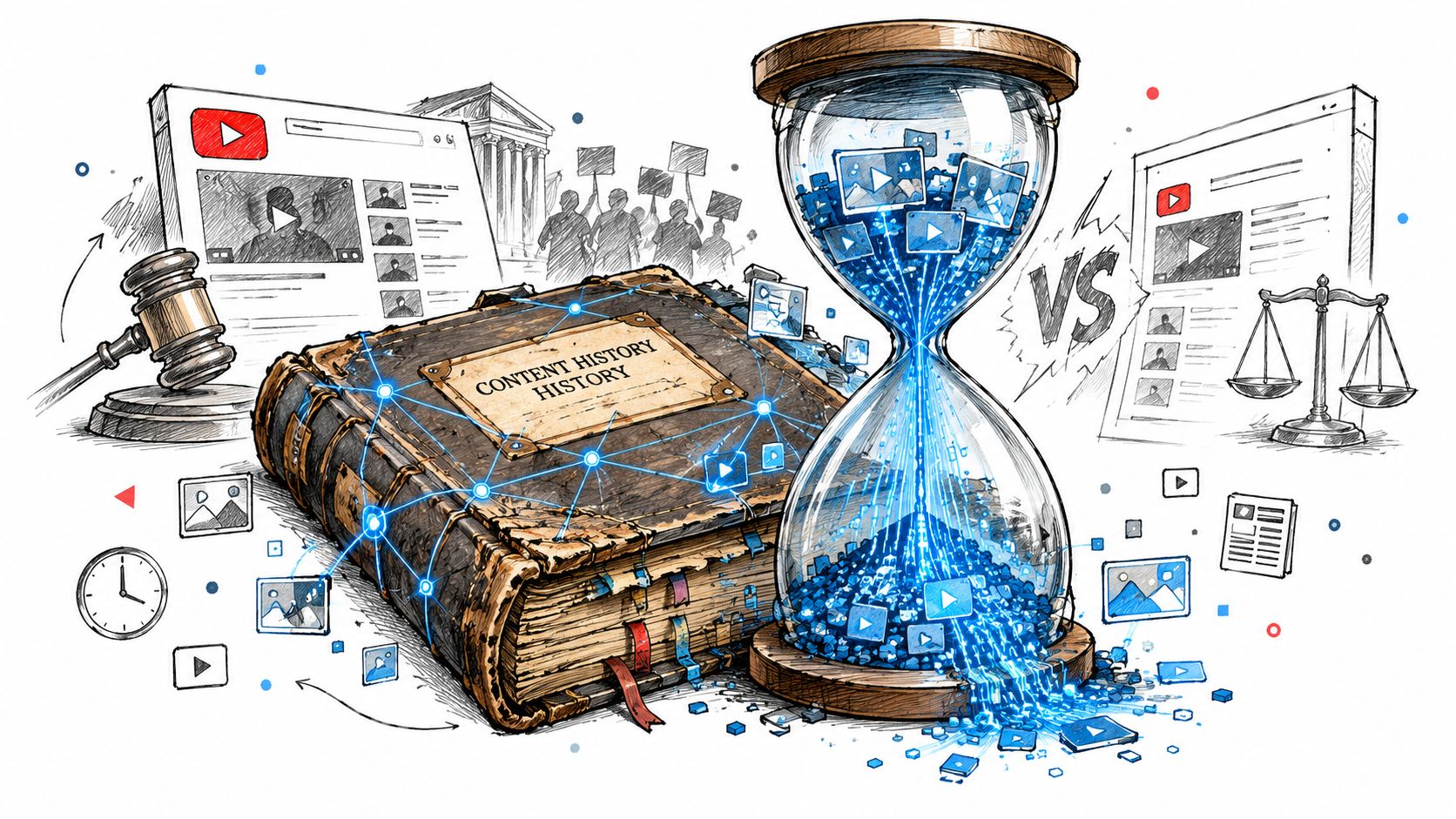
The long YouTube and GEMA dispute is a useful example from the documented UGC licensing history. Certain music videos became unavailable in Germany after a licensing agreement ended, and the conflict ran for years. For a brand team, the practical lesson is straightforward. If rights by territory, platform, or term are not enforced in operations, the audience experiences the failure as a blackout. In brand terms, that can mean an ad approved for one market still running through a creator handle, a retailer library, or an agency account in a market the license never covered.
History also shows why exposure arguments do not settle the rights question. Research cited in that same account found that UGC availability could increase demand in some cases, while hurting it in others, especially when the content substituted for something people would otherwise seek out elsewhere. That is the trade-off teams miss when they treat reposting, paid usage, and archive retention as harmless extensions of a creator deal.
Operationally, poor rights work creates two kinds of long-tail risk. First, compensation disputes stay alive because no one can prove what version ran, where it ran, or whether the creator, models, and rights holders cleared that use. Second, compliance drift sets in. The creator's original post may have had proper disclosure, but the paid edit, whitelisted version, or localized cut can survive longer than the permission and no longer match the approved presentation.
When the license term ends, treat that date as a control point. Step 8, Close or renew, should trigger removal or renewal decisions across active placements and stored distribution paths, with evidence that the action was completed.
Strong teams do not call rights work finished at signature. They keep an auditable chain from consent to launch to shutdown, including model approval, usage scope, disclosure review, and the precise places the asset ultimately appeared.
<a id="choosing-licensing-models-that-fit-different-campaign-types"></a>
Choosing Licensing Models That Fit Different Campaign Types
The right licensing model depends on how predictable the campaign is, how much distribution the brand expects, and whether the team can measure performance reliably. A simple fee can reduce administrative work, while a results-linked structure can create alignment but demands cleaner reporting and clearer attribution.
| Licensing model | Best fit campaign type | Key trade-off | |---|---|---| | Flat-rate licensing | Fixed-scope creator sourcing, defined channels, and a known campaign term | Predictable cost and simpler administration, but limited alignment with later performance | | Performance-based licensing | Growth programs tied to measurable paid-media outcomes | Aligns incentives, but requires agreed metrics, reporting access, and careful treatment of attribution | | Hybrid licensing | Programs needing creative volume plus measurable upside | Balances base compensation and incentives, but creates more fields to track and reconcile |
<a id="flat-rate-favors-control"></a>
Flat rate favors control
A flat-rate structure works well when the brand knows the asset count, channels, territory, term, and editing scope. It gives finance a predictable commitment and gives the creator a clear payment expectation. The risk comes when teams expand usage after approval, treating the original fee as permission for new channels or extended duration.
Write the scope so the packet can enforce it. If paid media, whitelisting, retailer use, or derivatives aren't included, mark them as excluded or subject to a separate approval.
<a id="performance-models-need-better-evidence"></a>
Performance models need better evidence
Performance-based licensing can fit a campaign where the brand has dependable attribution and the creator's role remains visible in the conversion path. It adds operational requirements: define the measurement source, reporting window, eligible placements, payment trigger, and treatment of edited variants.
Don't use performance language to obscure rights scope. A creator may be paid based on results while still granting only limited territory, duration, or channel rights.
<a id="hybrids-protect-both-sides"></a>
Hybrids protect both sides
A hybrid model combines a base fee with a performance component. It can make sense when the brand wants reliable creative production but also wants to reward content that earns distribution. The contract and rights packet should keep compensation separate from permission status, because payment doesn't automatically answer whether an edit, placement, or extension is allowed.
<a id="a-practical-launch-workflow-for-ongoing-rights-compliance"></a>
A Practical Launch Workflow for Ongoing Rights Compliance
Run the campaign in this order:
- Brief the use case: Define channels, paid media, territory, duration, editing, whitelisting, attribution, and any AI-related purpose.
- Source and identify: Capture the original asset, creator account, ownership claim, and people or materials visible in the content.
- Clear every layer: Obtain copyright, likeness, music, third-party, paid-media, editing, and commercial permissions.
- Build the packet: Store exact consent, timestamps, compensation, approved file, restrictions, and permission statuses.
- Review the ad: Confirm claims, creator experience, disclosure placement, final render, and paid-amplification behavior.
- Launch with a register: Link each placement to the approved version and record publication details.
- Monitor continuously: Run expiry checks, ad-library reviews, retailer and agency confirmations, and derivative-asset audits.
- Close or renew: Remove every placement when the term ends, retain evidence, or approve renewal before continued use.
A campaign platform can centralize briefs, creator records, approvals, payouts, and placement information, while a rights-focused workflow should still preserve the underlying evidence. Use UGC campaign management tools to compare operational capabilities, then test whether each option supports the fields your legal and media teams need.
Before launch, require a named owner for each permission, expiry date, live placement, and takedown action. That single accountability rule prevents the most common failure, where everyone assumes someone else is monitoring the license.
Top UGC Tools maps platforms for creator opportunities, campaign operations, analytics, and research, with comparisons that help teams evaluate workflow, compliance, tracking, and compensation fit. Visit Top UGC Tools to compare tools that can support a more auditable path from creator approval to paid-media launch.
Made with [Outrank tool](https://outrank.so)